Features Reporting Mobile Pricing Live Demo Login Try it yourself
Referral Grove
Referral management solution for networking groups

Your network runs on referrals.
Now managing them is easy.

Referral Grove gives independent business networking chapters a private member community — referral tracking, ROI reporting, attendance, and conversation — built for how your group actually operates.
Try it yourself
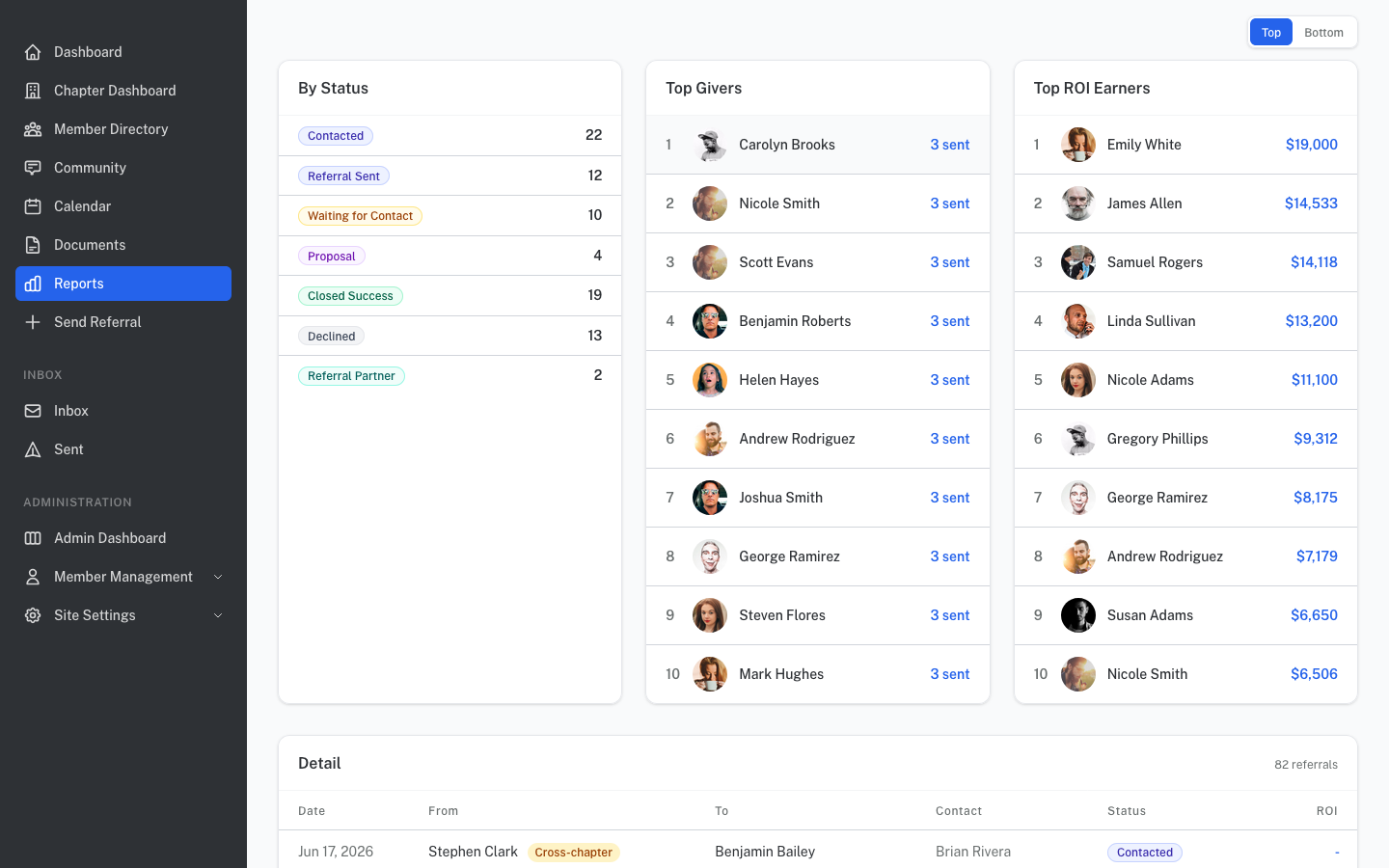
yournetwork.referralgrove.com/reports
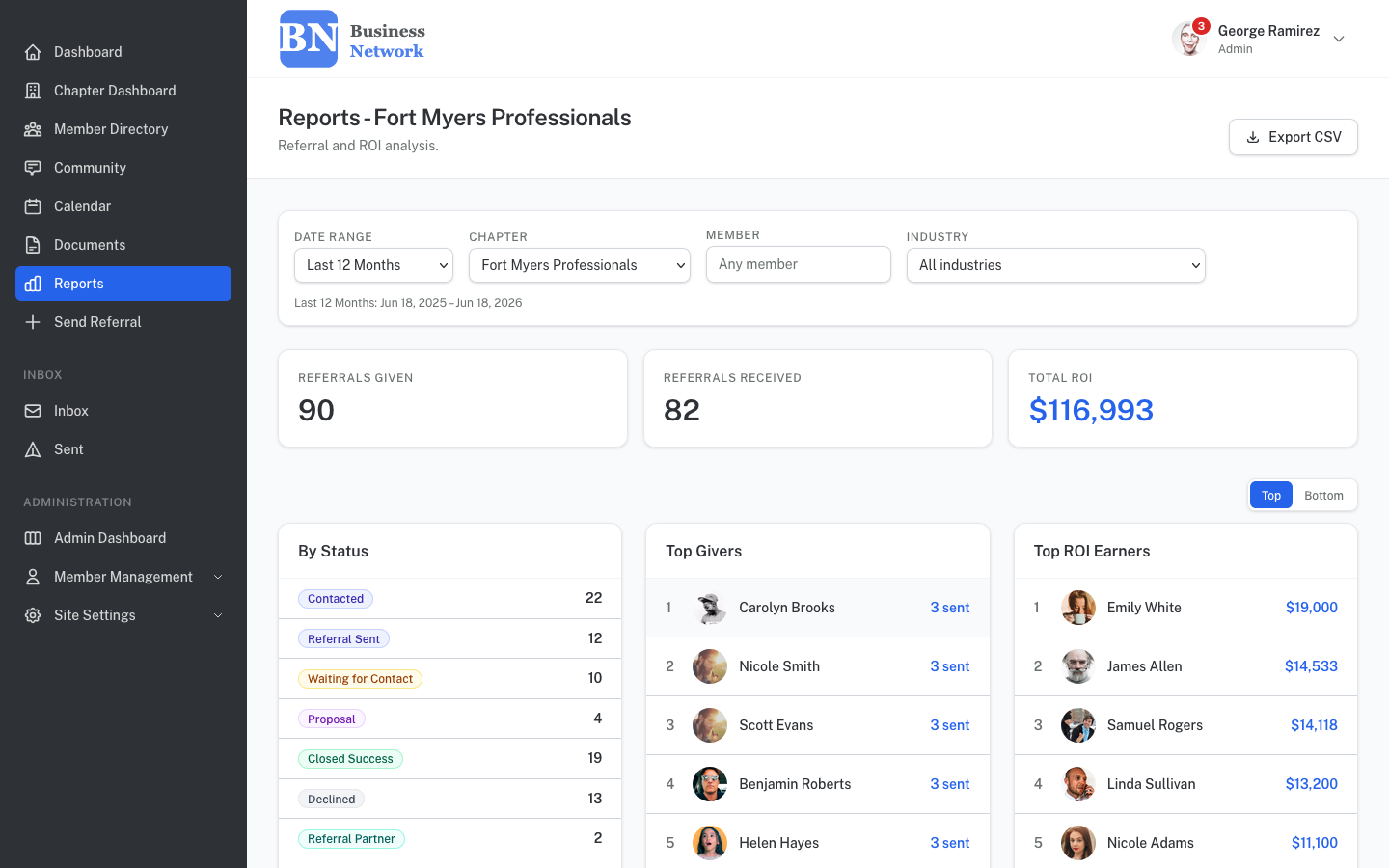
Reports page showing top performers and ROI by chapter
Multi-chapter
Run one chapter or many — up to 10+ chapters on a single plan, all sharing members, reporting, and settings
ROI tracking
Every referral tracks dollar value from introduction through closed business
No app needed
Fully mobile-responsive — members use it from any browser, any device – desktop, tablet & mobile all supported
Your brand
Custom logo, colors, and subdomain — looks like your network's own software
Member experience

Everything a member needs. Nothing they don't.

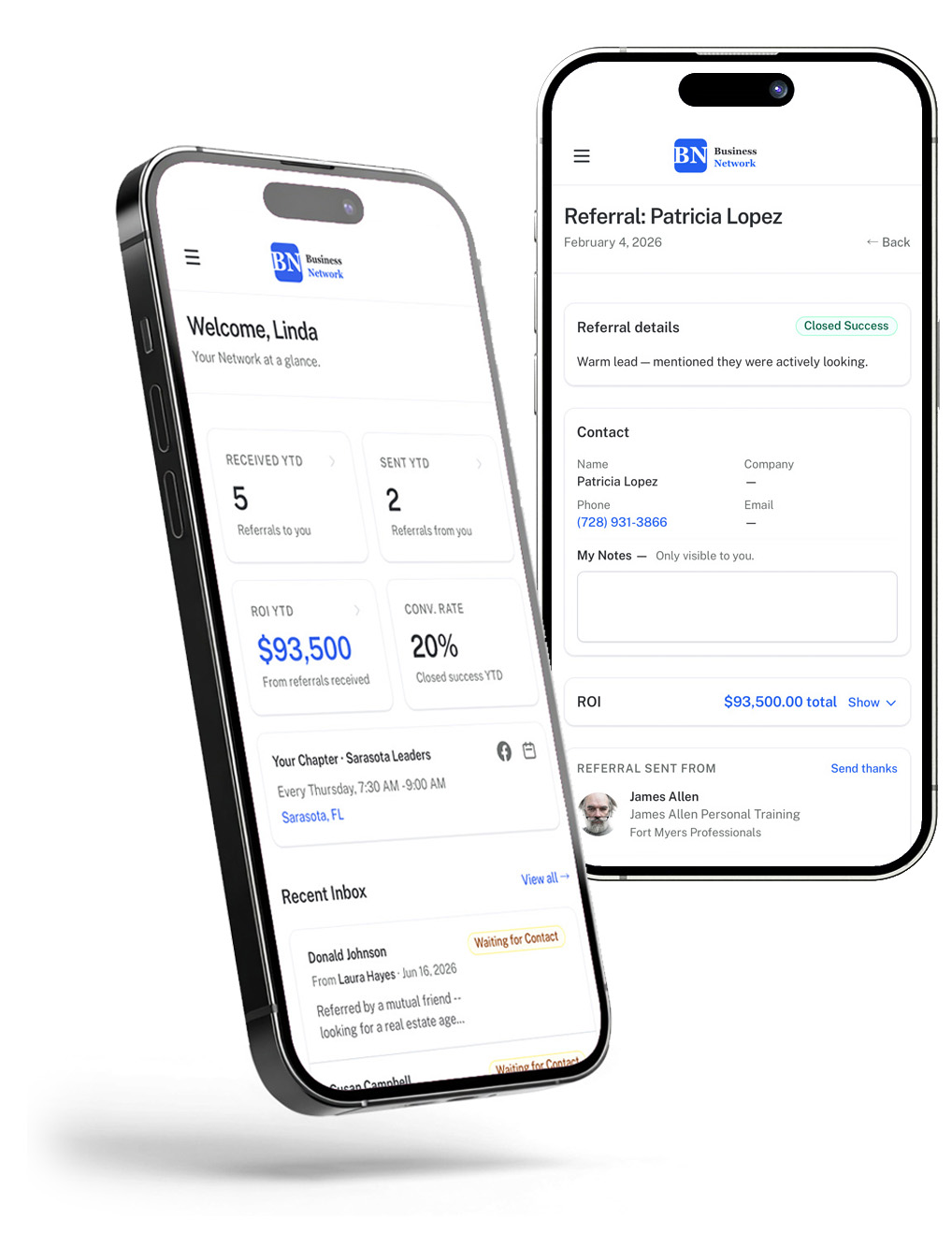
Each member gets their own personalized dashboard — referral history, ROI tracking, and chapter activity at a glance.

Referral tracking

Send and receive referrals with full accountability

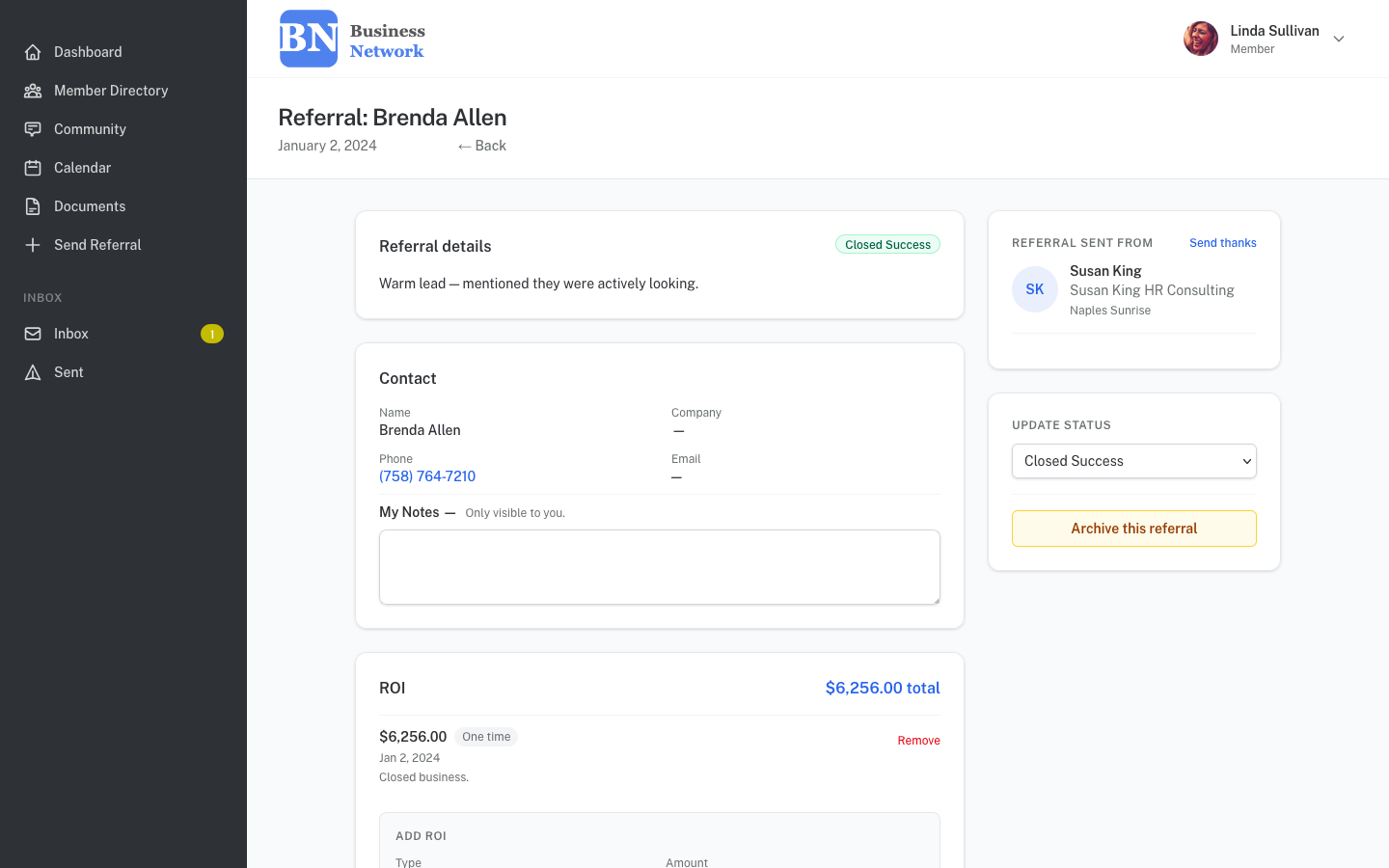
Members send referrals directly to each other through the portal. Every referral is tracked from first contact to closed business.

  • Full contact info passed with every referral — call, email, or visit their website directly from the referral page
  • Status pipeline from Contacted to Closed Success
  • Recipient tracks every step of the referral process and can add private notes
  • Reply directly to the referrer to thank them or ask for more details
  • Referrals are stored indefinitely for future reporting and logging
Referral detail page showing contact info, status, and ROI
Member directory

Easily find the right member for any introduction

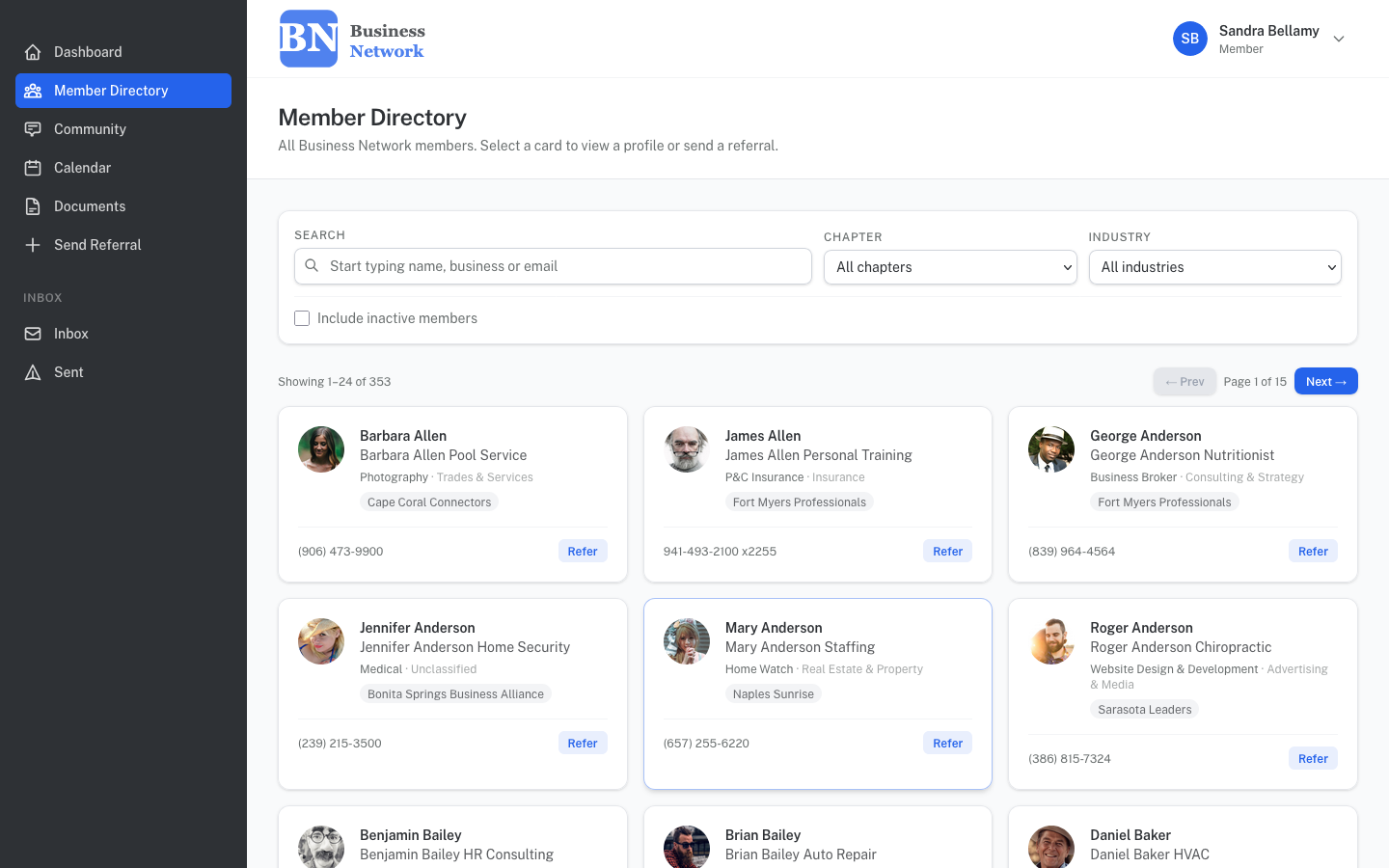
A searchable, filterable directory of every active member across all your chapters. Search by name, business, industry, and/or chapter — and send a referral directly from any member card.

  • Each member controls their own profile — photo, bio, company logo, and contact details as other members see them
  • Multi-chapter support
  • Powerful search filters across chapters
  • "Refer" action button on every card
Member directory with search and filter controls
Calendar & documents

Meeting schedules and chapter resources, all in one place

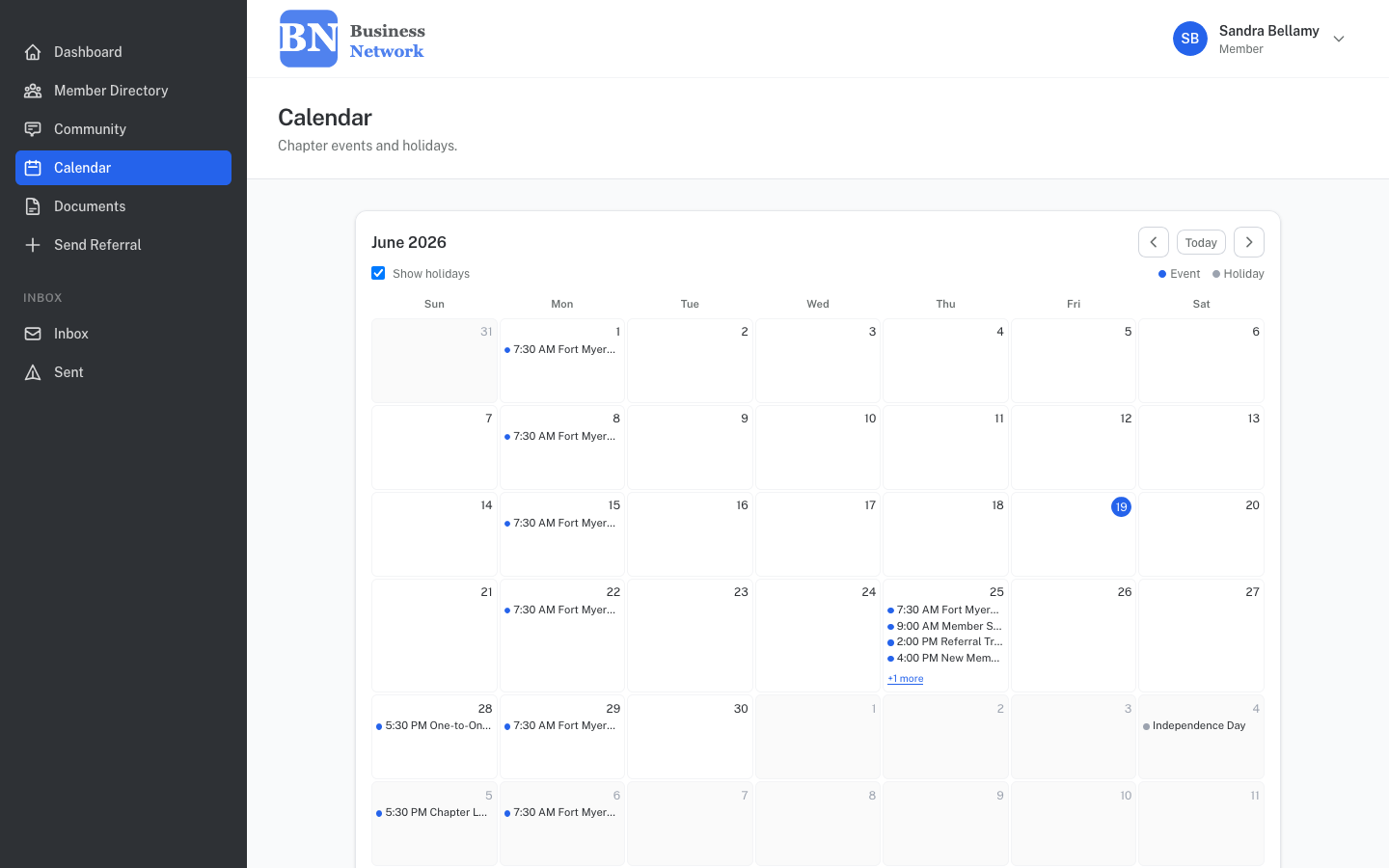
A full customizable event calendar showing chapter meetings, special events, and holidays — plus a document library where you can post bylaws, forms, and other documents for members to download anytime.

  • Weekly chapter meeting cadence visible at a glance
  • Special events and org-wide milestones
  • Calendar events can be created per-chapter or network-wide
  • Per-chapter document library with reorder and rename
  • Admin-controlled upload and visibility
Calendar showing weekly chapter meetings and special events
Community feed

A private social feed for your members

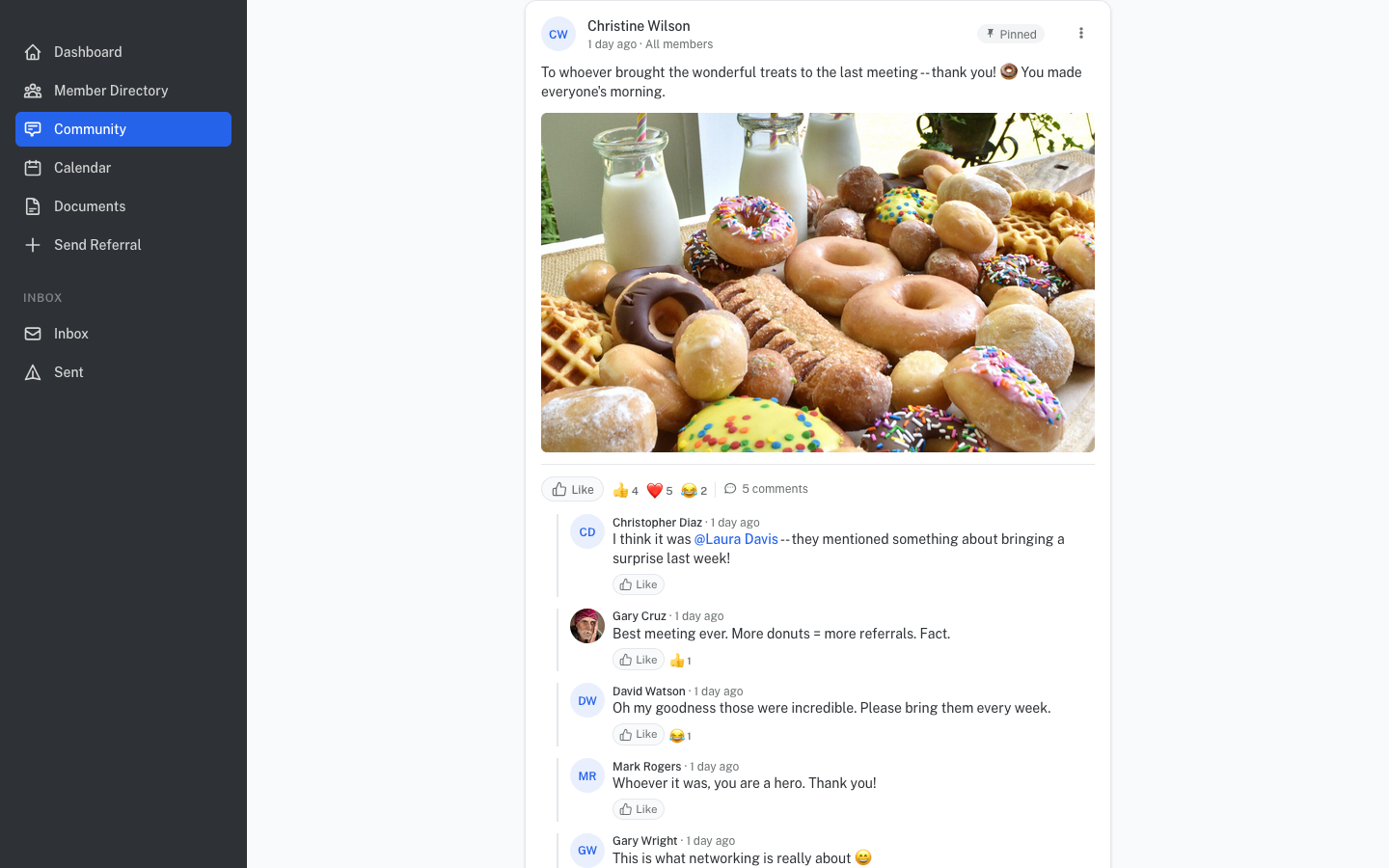
Members share updates, celebrate wins, ask questions, and stay connected between meetings — in a private, chapter-specific feed that belongs to your network, not a third-party platform.

  • @mention any member directly in a post
  • Up to 6 photo attachments per post
  • Multiple reactions available — like, comment, and more
  • Visible only to active members
Community feed with posts, photos, and member interactions
Member messaging

Direct messaging between members — no group chat, no noise

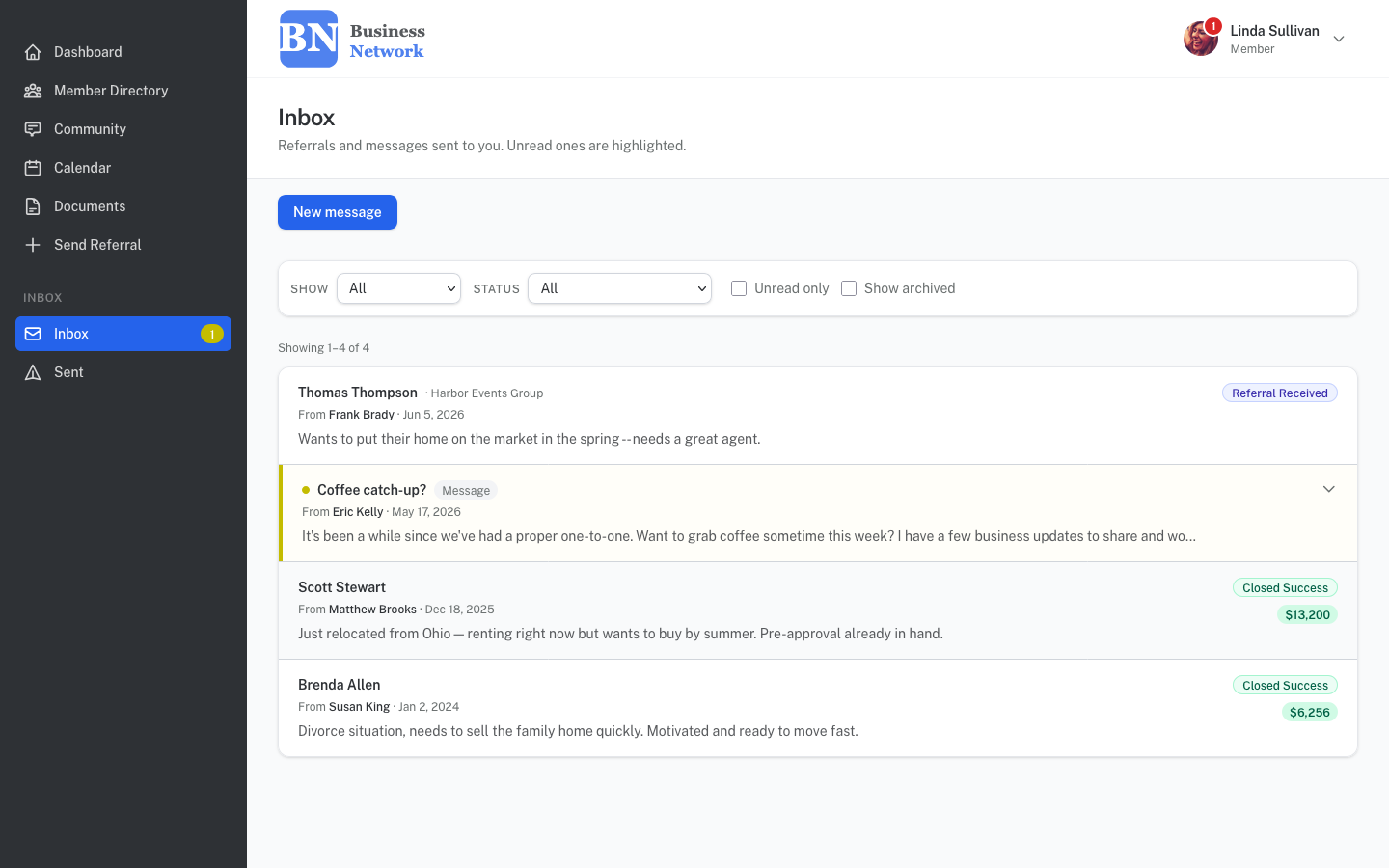
Members can send private messages to anyone in the network — to follow up on a referral, ask a quick question, or say thanks. It's built into the same inbox they already use for referrals, so nothing gets missed.

  • Compose and reply to any active member directly
  • Referral threads and messages share a single unified inbox
  • Unread badge updates in real time across all devices
  • Notifications on every new message and referral – makes it easy to see attention items at a glance
Member inbox showing referrals and direct messages in a unified view
Referral Grove on two mobile phones
Mobile-ready

Looks great on the phone your members already have

The full portal is responsive and optimized for mobile — members can check their referral inbox, browse the directory, and post to the community feed from anywhere, without installing an app.

  • No app download required — works in any mobile browser
  • Sidebar navigation collapses cleanly on small screens
  • Calendar prompts landscape rotation for the full grid view
  • Touch-friendly referral forms and directory cards
Admin & reporting

Chapter Leadership gets the reporting tools they've always needed.

A full admin suite gives chapter leadership real-time data on referral activity, member engagement, attendance compliance, and ROI — exportable at any time.

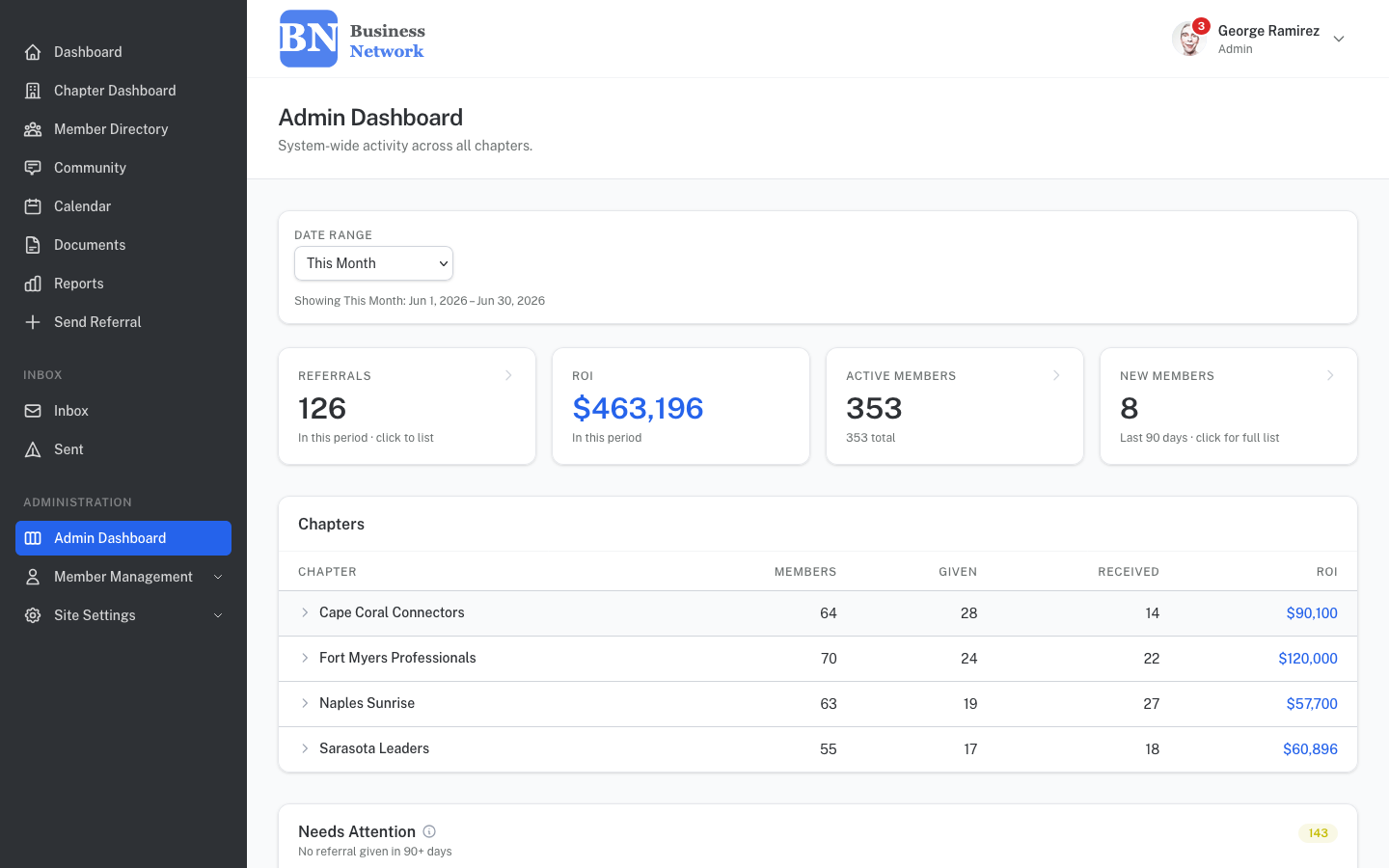
Admin dashboard — all chapters
Admin dashboard with system-wide stats and needs attention widget
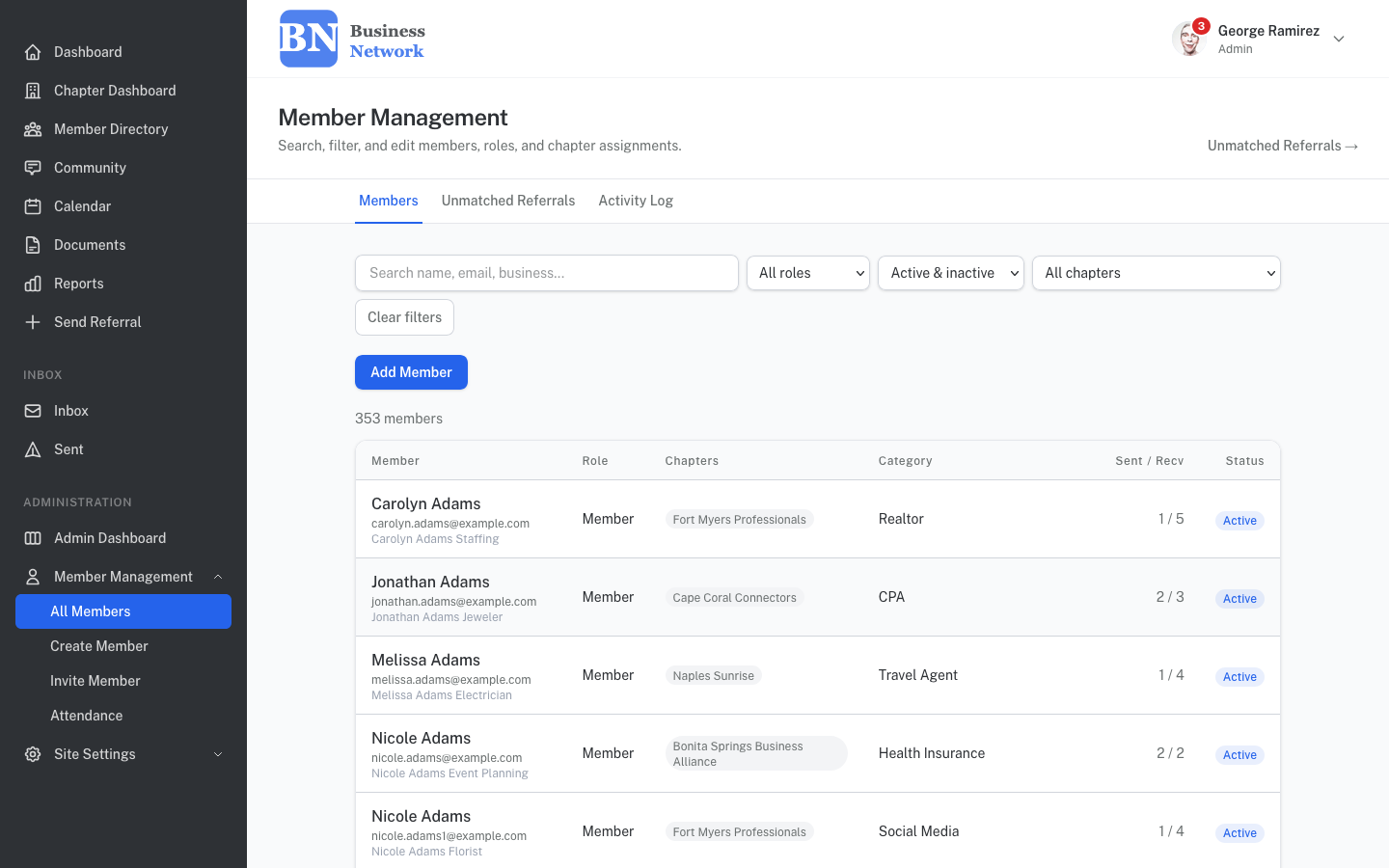
Member management
Member management table with role, chapter, and status filters
Attendance tracking

Take attendance live at the meeting — or log it after

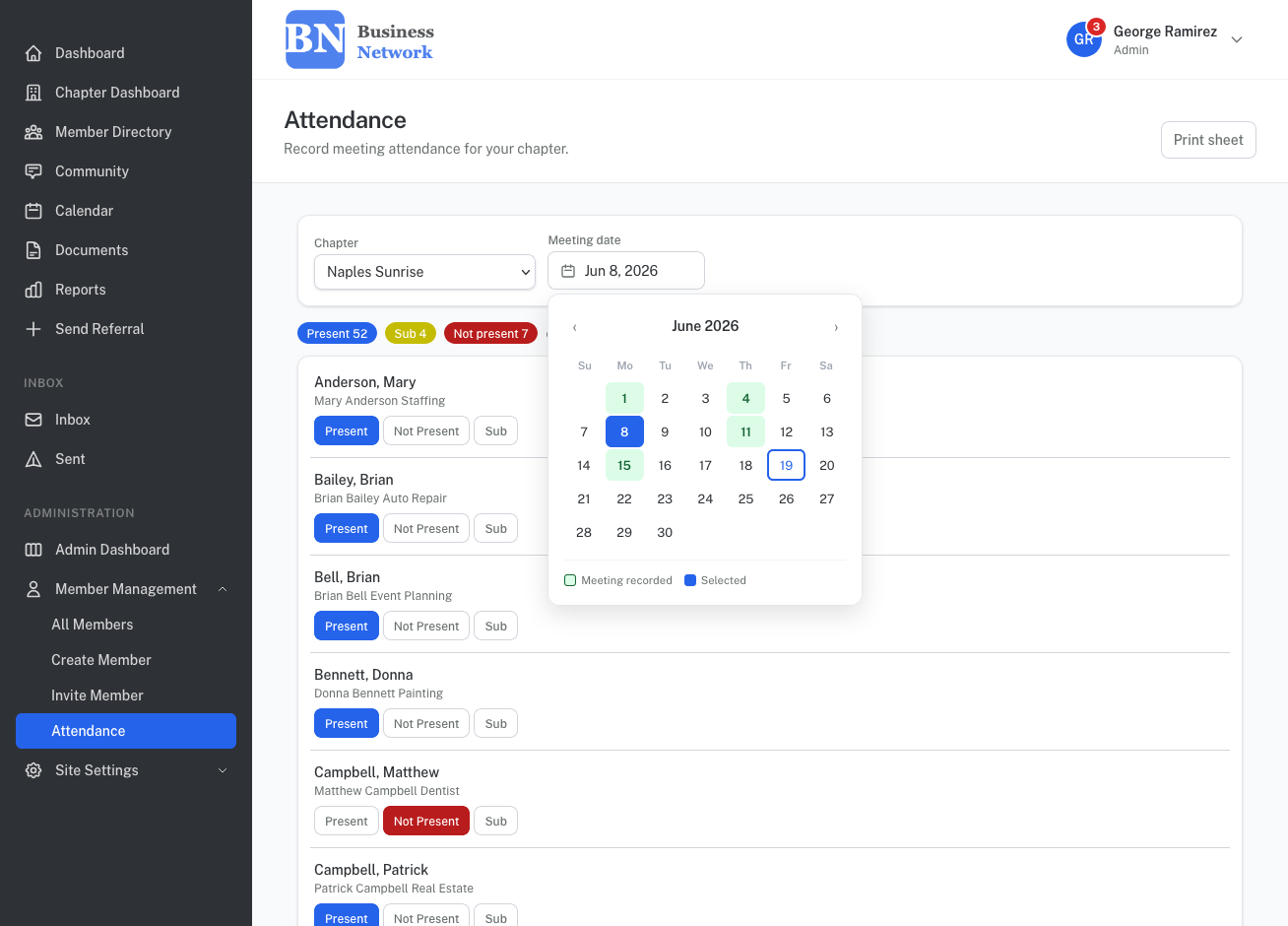
Keep a member attendance log for every chapter meeting. Mark members Present, Not Present, or Sub — with sub name and company captured inline. Running counts update in real time so you always know who's in the room.

  • Live Present / Not Present / Sub buttons per member
  • Substitute name and company captured inline
  • Real-time running count of present, absent, and subs
  • Printable sheet for in-room use
  • Delegated — any member can be granted attendance access without full admin rights
Live attendance tracking page showing present, sub, and absent counts
Members Falling Behind

If a member's attendance has dropped below chapter requirements, it will be privately flagged for leadership follow-up.

CSV Export

Filter referral data by chapter, member, industry, or date range and export to CSV — useful for leadership review and analysis.

Delegated Permissions

Admins can grant individual members the ability to take attendance, run chapter reports, or view cross-chapter content like events and community posts — without giving them full admin access.

Your network, your setup

Fully configurable to how your organization works

Referral statuses, industry categories, chapter structure, branding — all easily customized by your admin without touching any code.

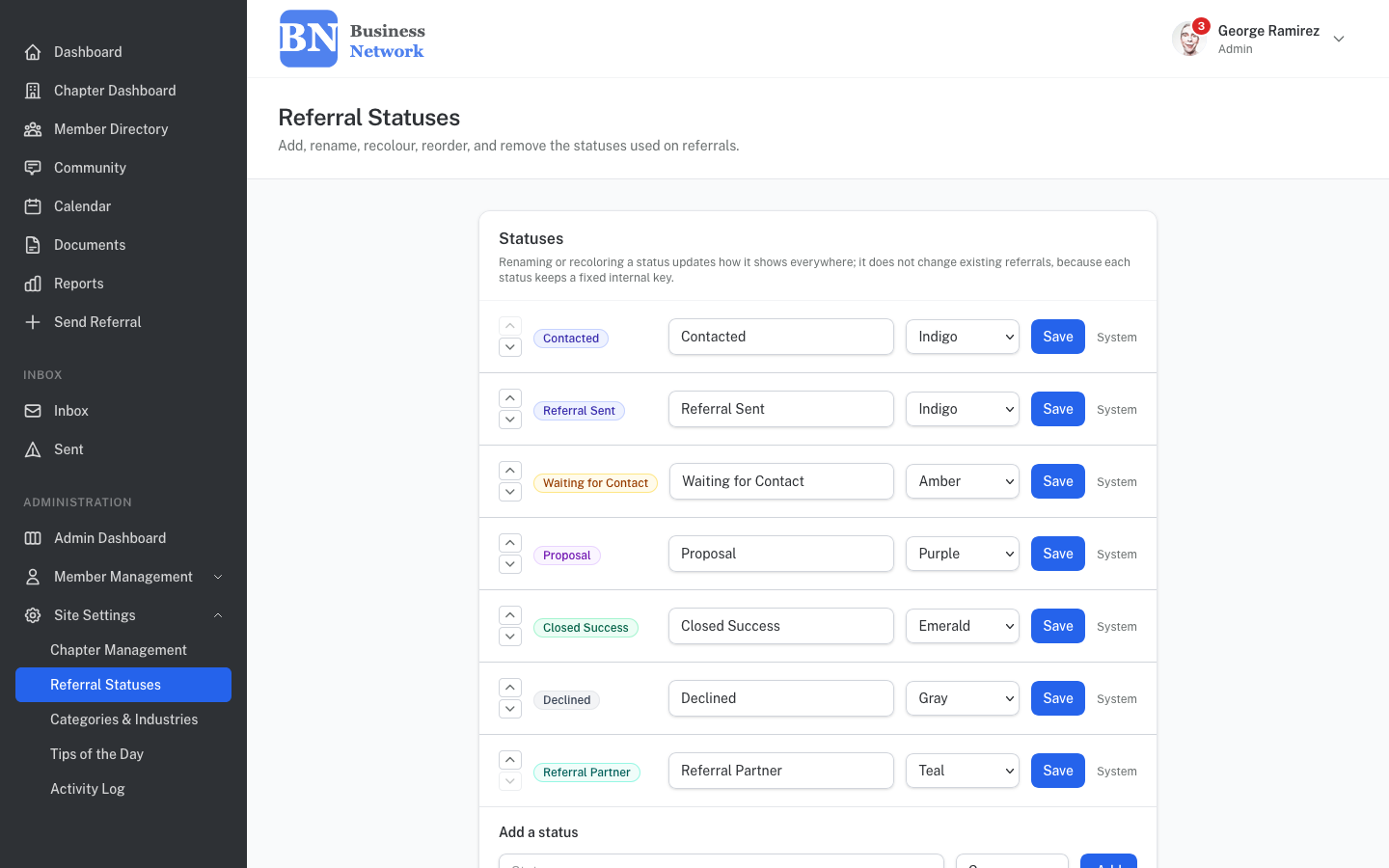
Referral status configuration with rename, recolor, and reorder
Configurable

Rename, recolor, and reorder referral statuses to match your workflow

Your chapter may rename any status, change its color, reorder the pipeline, or add entirely new stages — without touching any code. Existing referrals are never affected by label changes.

  • Custom status names and colors
  • Add or remove pipeline stages
  • Drag-to-reorder status sequence
  • Customized industries and category taxonomy
  • Custom branding: logo and color scheme per client

🌿 Not sure where to start with all these settings? We can assist you with setting everything up — just tell us how your organization works and we can configure everything you'll need before your members log in for the first time.

How it works

Built for organizations that take membership seriously

Every deployment is personalized for your organization — your data, your branding, your chapter structure, and your members — all set up before anyone logs in for the first time.

⚙️

Configured for your organization

Your logo, your colors, your chapter structure, your referral statuses. Set up before day one — before your members are logged in for the first time.

📋

Your data imported on day one

Already keeping track of your network another way? Depending on how, we can import your existing member roster and referral history so the portal is populated and useful from the moment your members first log in.

🔒

Invitation-only membership

Members join by email invitation from chapter leadership — no public signup, no unknown accounts. Your roster stays clean and current.

Wondering what it costs? View our pricing →

See it for yourself — no sales call required

Enter your email and we'll create a demo account for you instantly, already populated with a sample chapter, inbox, and referrals. Log in and explore at your own pace.